Google Preferred Sources: A Small Setup Worth Testing
Learn what Google Preferred Sources does, how to add it to your website, and how to measure reader interest without assuming it guarantees better rankings.
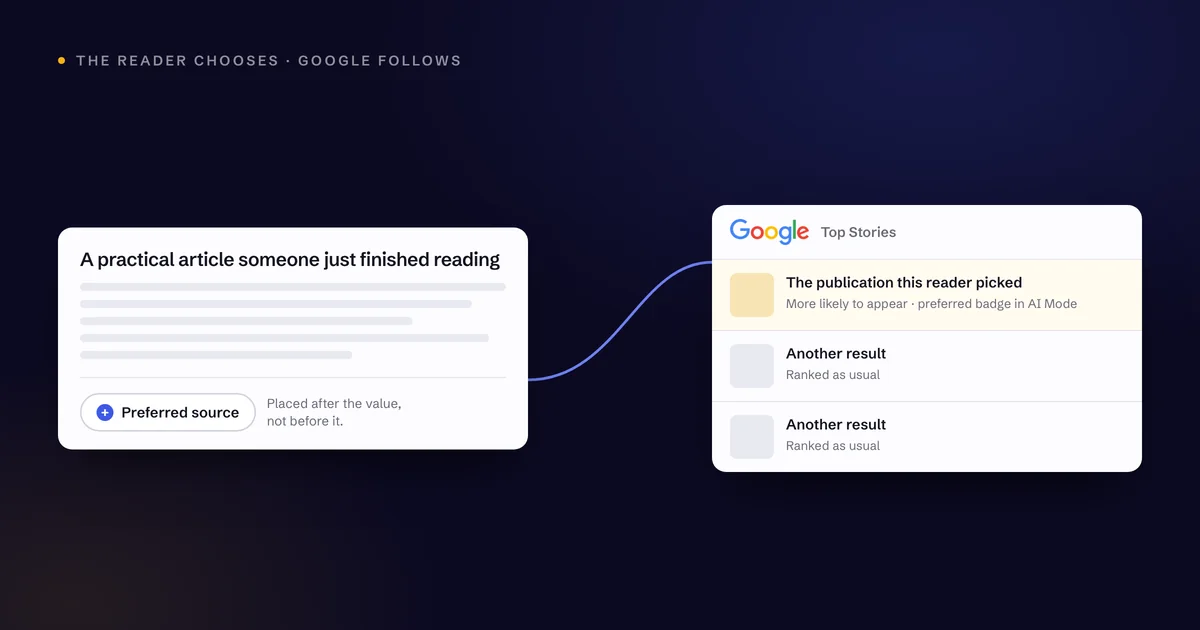
Google Preferred Sources is the kind of feature I would put on a short website improvement list.
It gives people who already like your content a way to tell Google they want to see more from you. That is a useful idea. If someone has read your advice, found it helpful, and wants to keep following your work, make the next step easy.
Where I slow down is the claim that adding a button will suddenly improve your rankings everywhere.
I would approach this as an audience development opportunity with a straightforward implementation, then measure what I can actually observe.
Understand what the feature does
Google says selecting a preferred source makes that source more likely to appear in the reader's Top Stories results. Selected sources can also receive a preferred badge in AI Mode and AI Overviews. Availability follows Google's supported languages and locations for those features. [2]
The important detail is the reader's choice.
That is different from saying every person who selects your website gives you a confirmed ranking boost across all search results. The documentation does not establish that broader effect.
My take: the direct benefit is enough to justify a look. A business should want more opportunities to reconnect with people who already trust its content.
Check your domain before planning the rollout
Start by searching for your site in Google's source preferences tool.
Google supports domains and subdomains for this feature, rather than a specific blog subdirectory. Confirm that your actual site appears before you promote the option. [2]
I would not assume eligibility based on your industry, your website platform, or another company's experience. Check the domain you intend to use.
Also think about the publishing experience. If your most recent article is several years old, a follow-style request probably should not be the first item on your marketing list.
Give people a clear reason to want the next thing you publish.
Choose the simplest implementation that fits
Google provides a standard JavaScript button, customization options, and a direct link alternative. Its standard button is designed to let readers complete the selection flow and return to the page. [2]
For a straightforward website, I would start with the standard version. It reduces design decisions and gives visitors a recognizable action.
If the platform does not support the script, the direct link may be the easier option.
Ask whoever maintains your site to confirm that the button loads properly, is usable with a keyboard, and behaves correctly on mobile. Five minutes may cover adding a link. It does not necessarily cover checking every browser, template, and consent configuration.
Put the request after something useful
I would start at the end of an article.
The reader has just received value, so the timing makes sense. A simple line might say:
Find this helpful? Add Raydiant Digital as a preferred source on Google.
A footer placement is another reasonable test. It is available throughout the site without interrupting someone who came to read or contact you.
I would be more cautious with a popup. Your primary service inquiry or newsletter signup should not have to compete with a new overlay just because a feature is getting attention.
Every page still needs a clear priority.
Measure interest without inventing a result
Track clicks on your own button or link through your analytics setup. Use a clear event name so the action is easy to find later.
A click is not the same as a confirmed selection in Google. Label the metric honestly.
Review whether readers are interacting with the feature, and watch your broader search and business performance over time. Avoid assigning every change in organic traffic to this one addition.
Search results, publishing frequency, demand, and other website improvements can all move during the same period.
I would also review the placement after a few weeks. If it distracts from a valuable action and barely gets used, change it.
Keep giving people a reason to come back
The button is the small part. The useful content is the ongoing commitment.
For a marketing business, that might mean practical website advice, clear explanations of AI tools, or examples that help an owner make a better decision. It is the same work that earns a place in Google AI search generally, and the same work that makes AI search optimization worth doing at all.
I would rather earn a smaller audience that finds the advice valuable than chase a large number of low-interest selections.
Add the feature if your site supports it. Keep the implementation simple, describe the benefit accurately, and continue publishing work people would choose to read again.
Sources for this article
Want a second set of eyes on your website? Let's look at the gaps between getting discovered and earning the inquiry.
Start a conversationGet these by email
One practical piece on SEO, AI search, and the websites that have to carry the work. No roundups, no filler.
Form not showing up? A tracker blocker is the usual cause.